








Level 3 inspection
A representative job of simple systems: splits and packaged units.
2 h 1 min70% less time recording and writing up
Click Inspection turns the photographs you take on the walk-round into answered questions, a drafted report and a lodgeable ACIR file, before you leave site. You keep the final say on every answer.
Try it free Your first 3 reports, every tool included, no card.
02 The roof
Open the inspection and walk to the unit. Everything you capture from here is filed against this system as you go: no notebook, no typing it up tonight.
03 Capture
The same condition photograph you would take for your evidence. The app files it against the unit and starts reading it straight away.
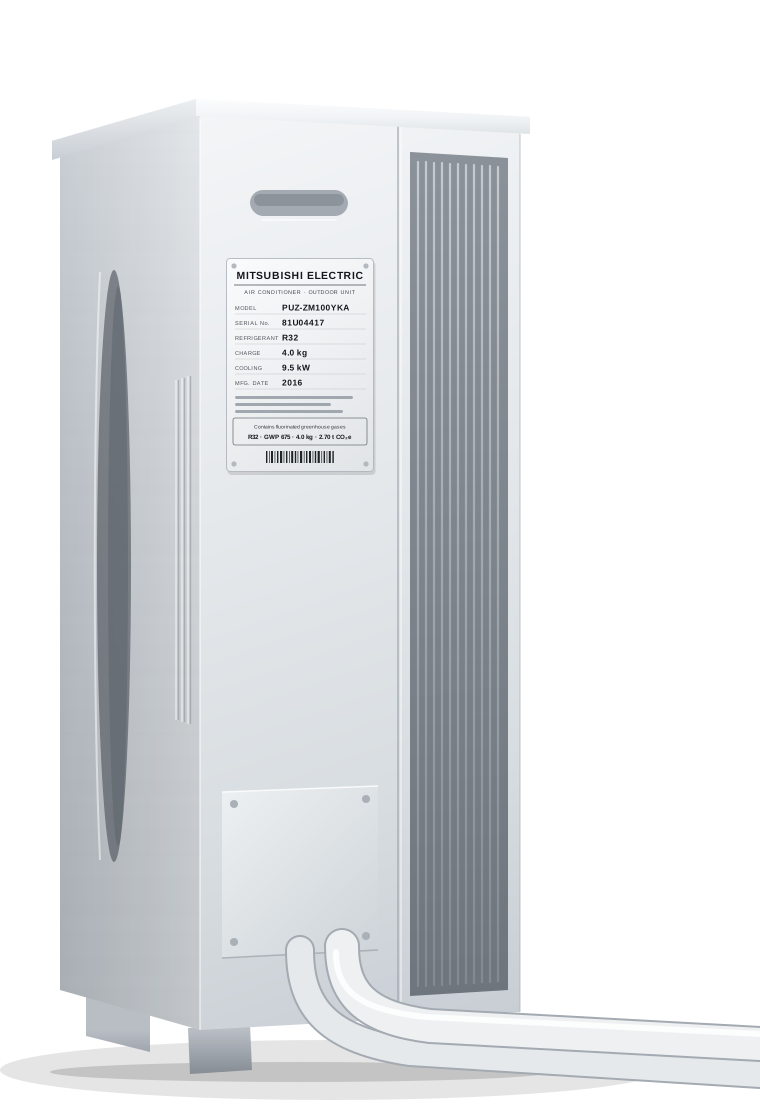
04 The data plate
Round the side of the unit, photograph the plate. Manufacturer, model, serial number, year, refrigerant and charge are read from the photo and filled in. Anything it can't read clearly is left blank for you, never guessed.
05 Answered by the app
Condition and housekeeping are read from the photo and filled in automatically. For anything a photograph can't show, tap All as expected to confirm those groups in one go, or answer each question using your own judgement and experience. Every answer remains yours to change.
06 Down the riser
Start at the plant on the roof and trace it to the terminal units it serves. For each terminal unit, the app records which cooling plant serves it and carries that plant's make and year across.
07 The terminal unit
Photograph the terminal unit and its condition questions are filled in from the photo, just as they were on the roof. For anything a photo can't show, tap All as expected, or answer each question individually.
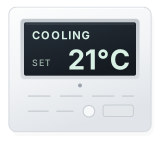
08 The controller
The operating mode and the setpoint are read off the controller's own display and filled in. You confirm the rest of the controls questions.
09 The report
Generate report writes the executive summary and the recommendations from the survey. Read each section, reword it if it needs it, and accept it. Nothing reaches the XML that you have not accepted.
10 The XML export
When nothing is blocking, Export XML lights up. One tap writes the lodgeable ACIR file, checked against every safeguard, ready to upload into Sterling E-Volve Projects.
Everything the app captures syncs to the dashboard: your inspections, your clients’ sites, the reports and the documents around them. Check it, finish it, hand it over, in your browser.
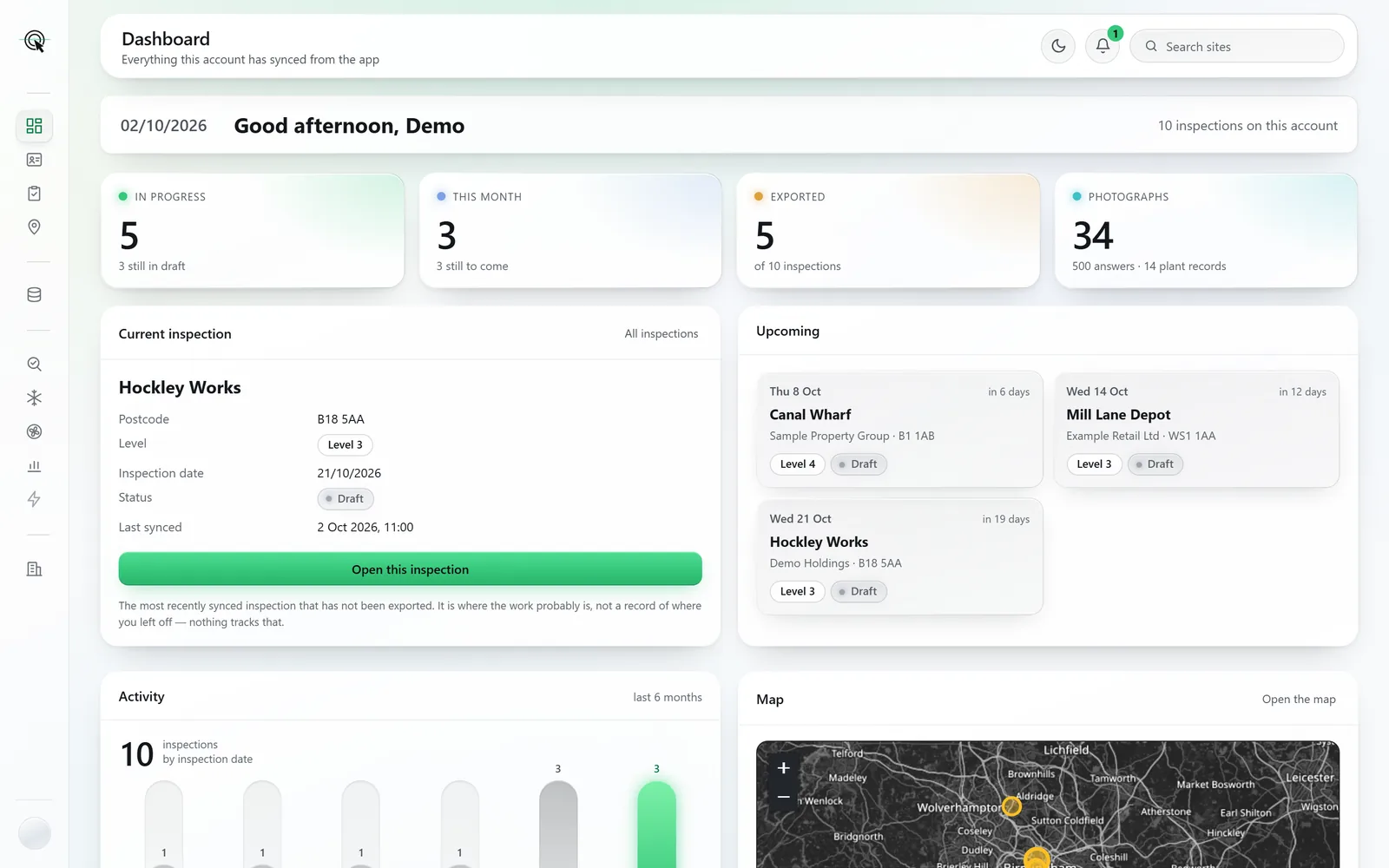
5 of 10 inspections exportedEvery inspection on its road to a lodged file
Every inspection, how far it has got, and every document it produces.
Every plan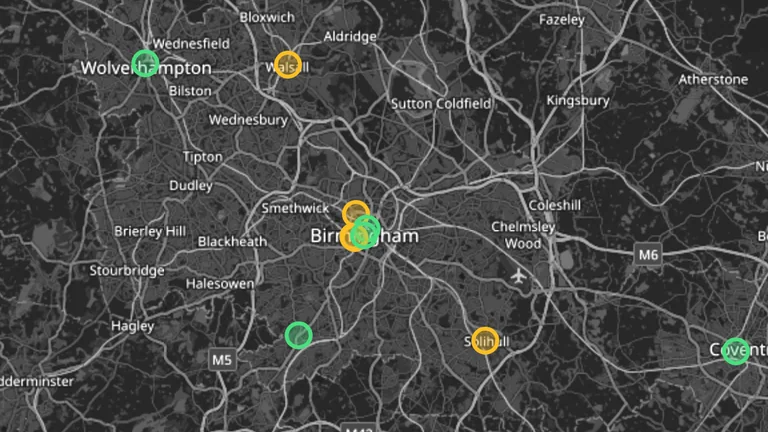
Every building on one map, directions in one tap, and a day put in order.
Every planDaikin, by cooling capacityUnits surveyed, as the lookup lists them
Look a maker or a model up, before a visit or with the plate in front of you.
Every plan16 requirements, every one accounted forRiverside House: 8 in this pack, 8 named as gaps
The QA audit pack in one ZIP, every evidence requirement accounted for.
Premium · included on Private and Corporate126.6 t CO₂e across 3 unitsRiverside House: each unit’s charge as CO₂ equivalent
Refrigerant, charge and CO₂ equivalent for every unit, exactly as surveyed.
Premium · included on Private and Corporate3 areas rated Poor, all on AHU-01Riverside House: ten areas of each unit, rated
Every air handling unit rated area by area, its fans costed and its actions put in order.
Premium · included on Private and Corporate£1,347 a year across 5 recommendationsRiverside House: each recommendation’s own saving
What the air conditioning uses in a year, what each recommendation saves, and five years ahead.
Corporate toolsCCU-01 first, at 65 points of 100Riverside House: what each replacement score is made of
Running cost, carbon, refrigerant risk, replacement order and budget, for the client.
Corporate tools1 of 5 systems pays back within 10 yearsSample Property Group, 4 sites: simple payback at each quote
A client’s whole estate, with the charts, as one multi-site report.
Corporate toolsScreens and documents are from a sample account: the buildings, clients and assessor are made up.
Time saved, worked out
Recording and write-up time for one inspection, task by task, against a typical form-based workflow. An estimate from stated assumptions: change any of them to match how you work.
A representative job of simple systems: splits and packaged units.
2 h 1 min70% less time recording and writing up
A representative job of complex systems: central plant, AHUs, an itemised asset list.
5 h 45 min74% less time recording and writing up
Also on site: the zone sketch
Sketch each zone in the app while you stand in it. The floor area adds itself up as you draw, and the export is a scaled floor plan and a 3D view, ready for the audit pack.

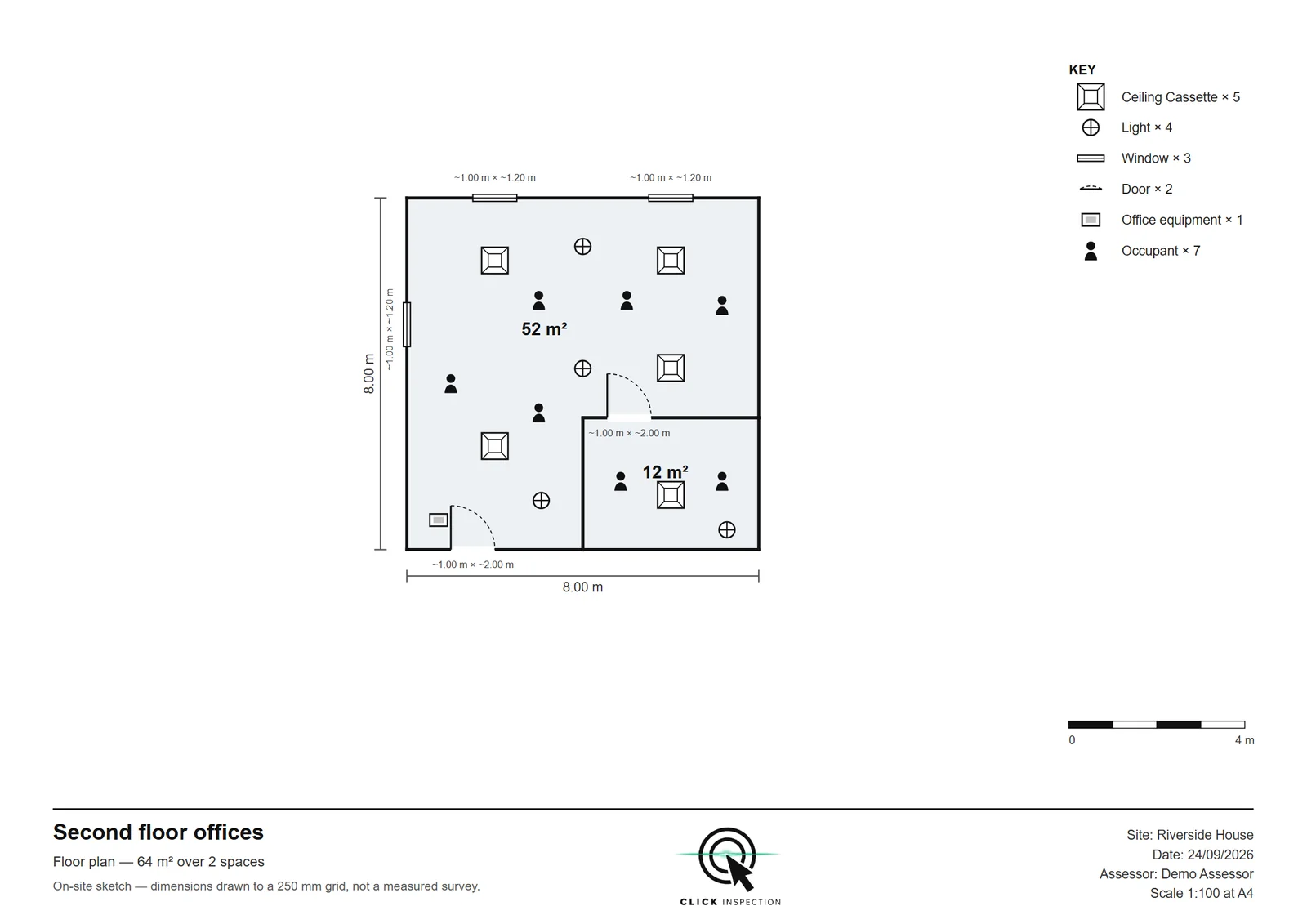

The sketch and the drawings are of a sample zone: the building, site and assessor are made up.
The report
Tap Generate report and all nine sections are drafted from the plates, answers and photographs you accepted, with the recommendations your findings call for. Every word is still yours to change.
The summary is the one the app wrote for a sample account’s Riverside House. The building, client and assessor are made up.
The following cooling plants were inspected:
Refrigerant charge and CO₂ equivalent
A refrigerant's CO₂ equivalent (CO₂e) is its charge multiplied by its global warming potential (GWP). For the refrigerants found in this building:
Across the systems inspected, 81.3 kg of refrigerant is held, a combined 126.6 tonnes CO₂e.
The premises operates from a two storey building with a total treated floor area of 2460 m², accommodating approximately [TO BE CONFIRMED: occupants] occupants. The premises is generally occupied from 08:00 to 18:00, approximately 50 hours per week. The building construction was observed to comprise brick and block construction, with aluminium framed single-glazed windows and a flat roof. Lighting throughout the building was found to be LED.
The AHUs serve the following areas:
AHU-01 – [TO BE CONFIRMED: area served]
AHU-02 – [TO BE CONFIRMED: area served]
Filters and air intakes: Air intake and filter conditions were found to be acceptable. Filters have not been changed in line with current industry guidance. (1 of 2 units) The filter differential pressure gauge, where fitted, was found not to be working. (1 of 2 units)
AHU Efficiencies and SFP (Specific Fan Power): It has been calculated that the AHUs have a combined average SFP of 2.2 W/(l/s).
You sign the lodgement, so it matters more that this is honest about its limits than that it sounds capable.
Seasonal efficiencies, load factors, operating hours and flow temperatures cannot be photographed, and they are never guessed. They stay blank and block the export until you fill them.
Sampling, ratings, recommendations and lodgement stay with the Lead Assessor. The app captures and drafts. It does not assess, and it does not certify anyone.
Every answer the app fills in, and every recommendation it drafts, can be changed by you before anything is exported.
Every plan does the whole inspection, from the first photograph to the lodgeable XML. The difference is how you pay, and whether the premium tools come with it.
£17 per survey
£197 per month
£247 per month, first inspector included
Try it free: your first 3 reports, every tool included, no card. Start a free trial.
No VAT is charged. Your lodgement fees are separate and unchanged: this replaces the tool you write the report in, not your scheme membership.
