

Every building you look after, on one map.
Site Map & Directions places every site on your account from its postcode and colours it by where its inspection stands. Directions are one tap away, and a day’s visits can be put in order before you set off.
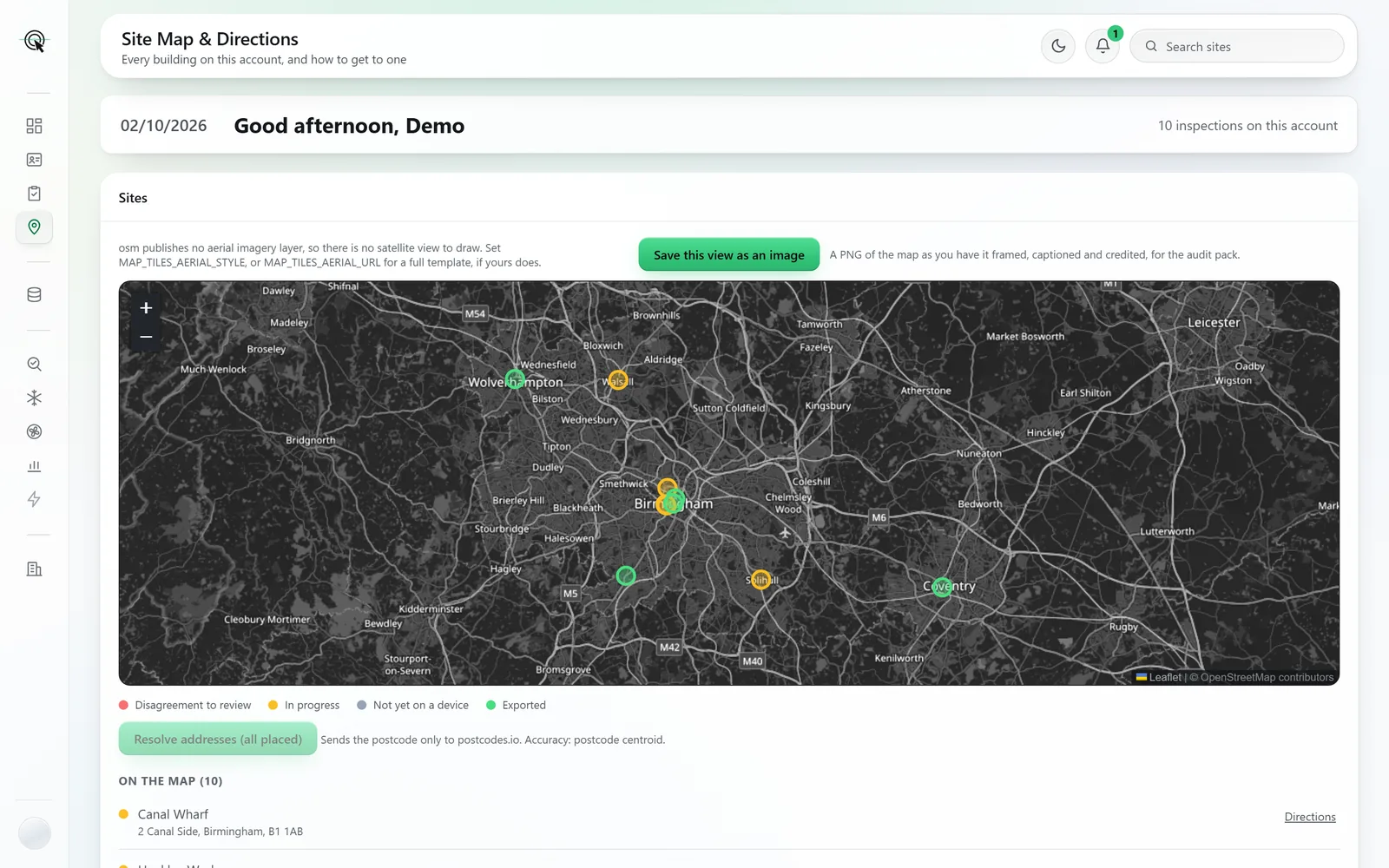
Screens and documents are from a sample account: the buildings, clients and assessor are made up.
- Pinned by status
- Exported, in progress, not yet on a device, or carrying a disagreement to review.
- Directions in one tap
- The route opens in your maps app from wherever you are.
- Plan a day
- A day’s visits put in order, nearest first, with the miles between each.
- A location plan for the pack
- Frame the map and save it as a captioned image for the audit pack.
Where the work is, at a glance.
Pinned by status
Exported, in progress, not yet on a device, or carrying a disagreement to review: each site’s pin says which, and the list beneath names them all.
Directions in one tap
Every site has a Directions link that opens the route in your maps app from wherever you are.
Plan a day
Give it a date and where you are starting, and it orders that day’s visits nearest-first from wherever you will be, with the miles between each. A sensible running order, and it says plainly that the miles are straight-line.
A location plan for the audit pack
Frame the map and save it as an image: a captioned, credited PNG, ready to file as the site location plan.
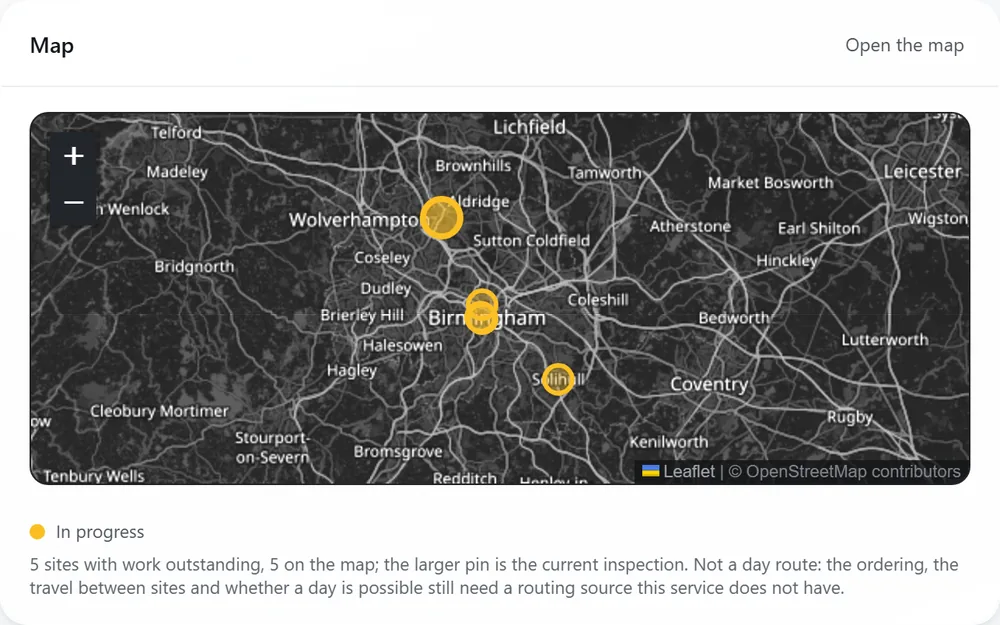
The same map, on the dashboard.
The dashboard carries a smaller map of the sites with work outstanding, with the inspection you are on drawn larger, so the morning starts with where you are going.
Sites are placed from the postcode alone. Nothing else about the building is sent anywhere to do it.
Site Map & Directions is on every plan. Pay As You Go, Private and Corporate all include it, at no extra cost.
