

- Home
- Zone sketch
Sketch the zone on site. The floor area adds itself up.
The zone sketch is a floor-plan tool in the app. Drag out the room with a finger and the metres and square metres appear as you go. Drop in the units, lights, windows, doors and people, then export a scaled floor plan and a 3D view for the audit pack, before you leave the building.
The sketch and the drawings are of a sample zone: the building, site and assessor are made up.

Draw it the way the room is.
- 01
Drag out a box
The box follows your finger with its length and width in metres, and its area appears in the middle. It is drawn on a 250 mm grid, so the figures come out tidy.
- 02
Any shape of room
Add more boxes for an L-shape or a bay and they snap to each other. Use Circle for a round or oval space.
- 03
One space or two
Wall takes away the wall between two boxes, so they become one space with one area. Separate puts it back. Nothing has to be redrawn.
- 04
Place what is in the room
Indoor units by type, from the same list as the terminal unit’s own description, plus lights, windows, doors, office equipment and people. Windows and doors sit on a wall and take a width and a height.
- 05
Built for site
The grid stays still under your finger, and Draw, Move, Wall and Place are separate modes, so a gloved thumb does the same thing every time. Undo steps back through the last twenty changes.
- 06
Saved as you go
Every box and item is saved on the phone the moment you place it, with no signal needed. There is one sketch per zone, shared by every terminal unit in it.
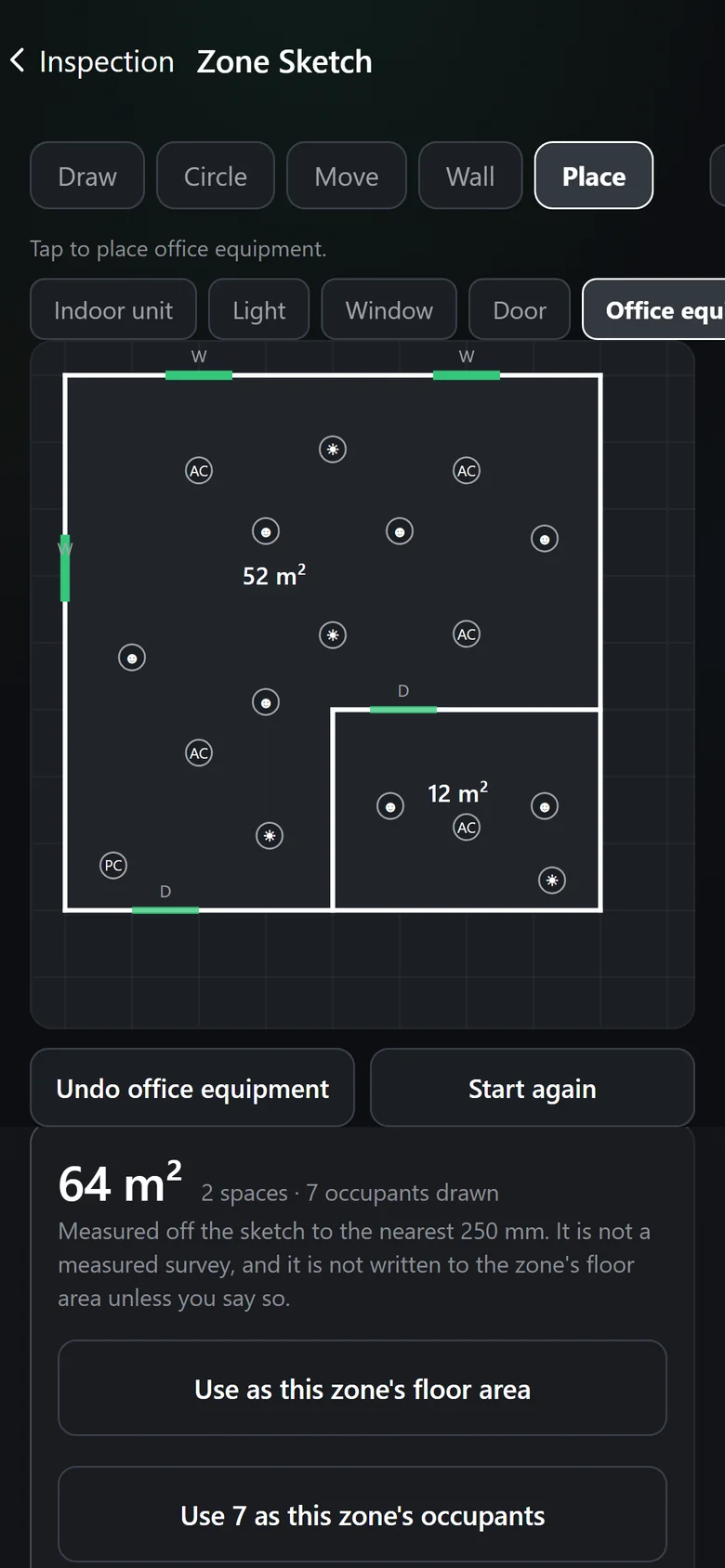
The figures
The zone’s floor area and occupants, with a drawing behind them.
The sketch totals each space and the whole zone, and counts the people you placed. One tap puts either figure into the zone, where the terminal unit already asks for it.
- Use as this zone’s floor area writes the sketch’s total.
- Use 7 as this zone’s occupants does the same for the people on the plan.
- Neither is written until you tap it. The total is measured to the nearest 250 mm, and the app says plainly that it is a sketch, not a measured survey.
- It opens from the terminal unit on the walk-round, beside the floor area, occupants and heat gain it is there to evidence.
The drawings
Two drawings an auditor can take a dimension off.
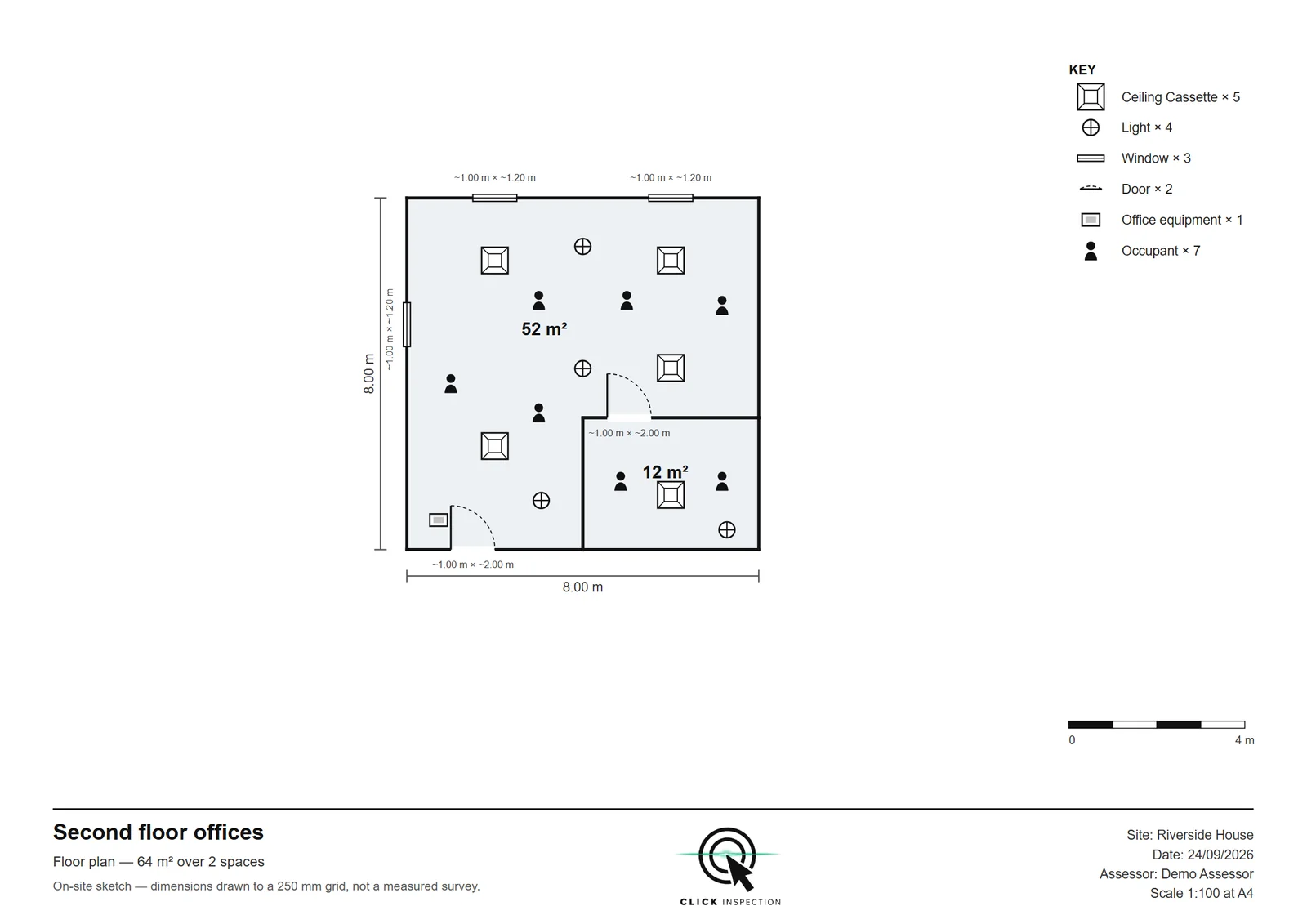
Export gives one PDF of two A4 landscape pages: the floor plan and a 3D view. Each is drawn at a standard scale, from 1:20 to 1:500, so it measures true under a scale rule.

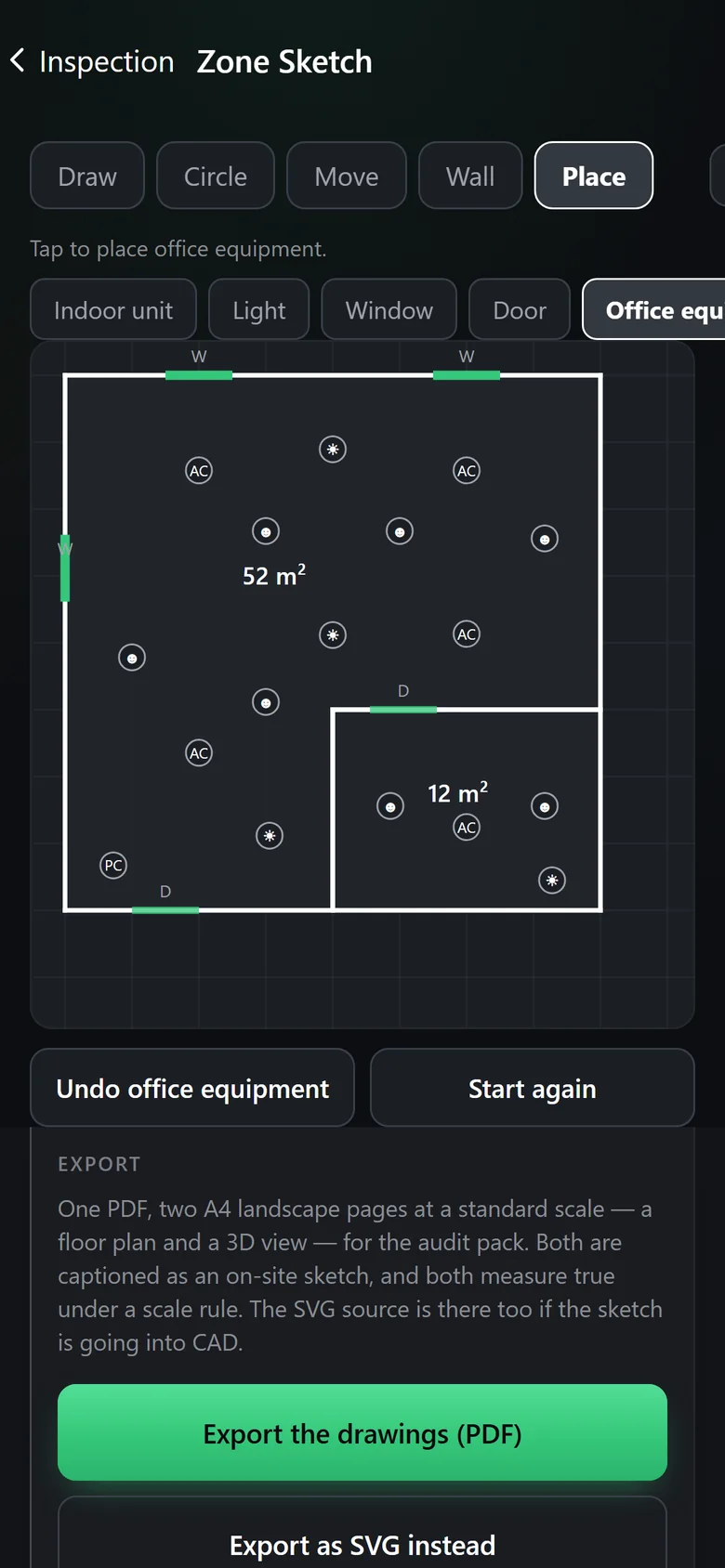
Counted, then exported.
Under the grid, the app keeps a running count of everything on the plan. When the zone is drawn, one button writes the PDF.
- Both pages are captioned as an on-site sketch, with the site, the date and the assessor in the title block.
- Going into CAD? Export as SVG instead gives you the drawings as editable vector files.
- Audit Aid files every sketched zone in its pack, under Drawings/.
Why it helps
The drawing is done before you leave the room.
The drawings the audit asks for
A QA audit asks to see floor plans. Audit Aid puts each sketched zone’s floor plan and 3D view in the pack, and its manifest lists them against that requirement.
No redraw at the desk
No notebook sketch to redraw tonight and no measuring off a photograph. The drawing made in the room is the one that goes in the pack.
Figures you can stand behind
The zone’s floor area and occupants come from a drawing anyone can check, not a number typed from memory.
Something to hand the client
A clean, captioned plan of the zone showing where its units are, ready to send with the report.
What it is, and what it is not
- An on-site sketch drawn to a 250 mm grid, not a measured survey. Every sheet says so on its face.
- Nothing reaches the zone’s floor area or occupants until you tap to use it.
- It draws floor plans and a 3D view. Sections and schematics are still yours to supply, and the audit pack says so.
- It never guesses a unit type. A unit you have not classified is drawn as the generic symbol.
Drawing a sketch is on every plan. Exporting the drawings is included on Private and Corporate. On Pay As You Go it is £2.97 per zone, paid once, or covered by the Full tool pack at £19.97 along with every other Pay As You Go tool on the inspection. The XML and the draft report never depend on it.
