

Every inspection, and everything it needs to be finished.
Projects & TM44 Survey is every inspection on your account, by job or by client. Open one and you can see how far the survey has got, what the plant adds up to, and every report and document it produces, in one place.
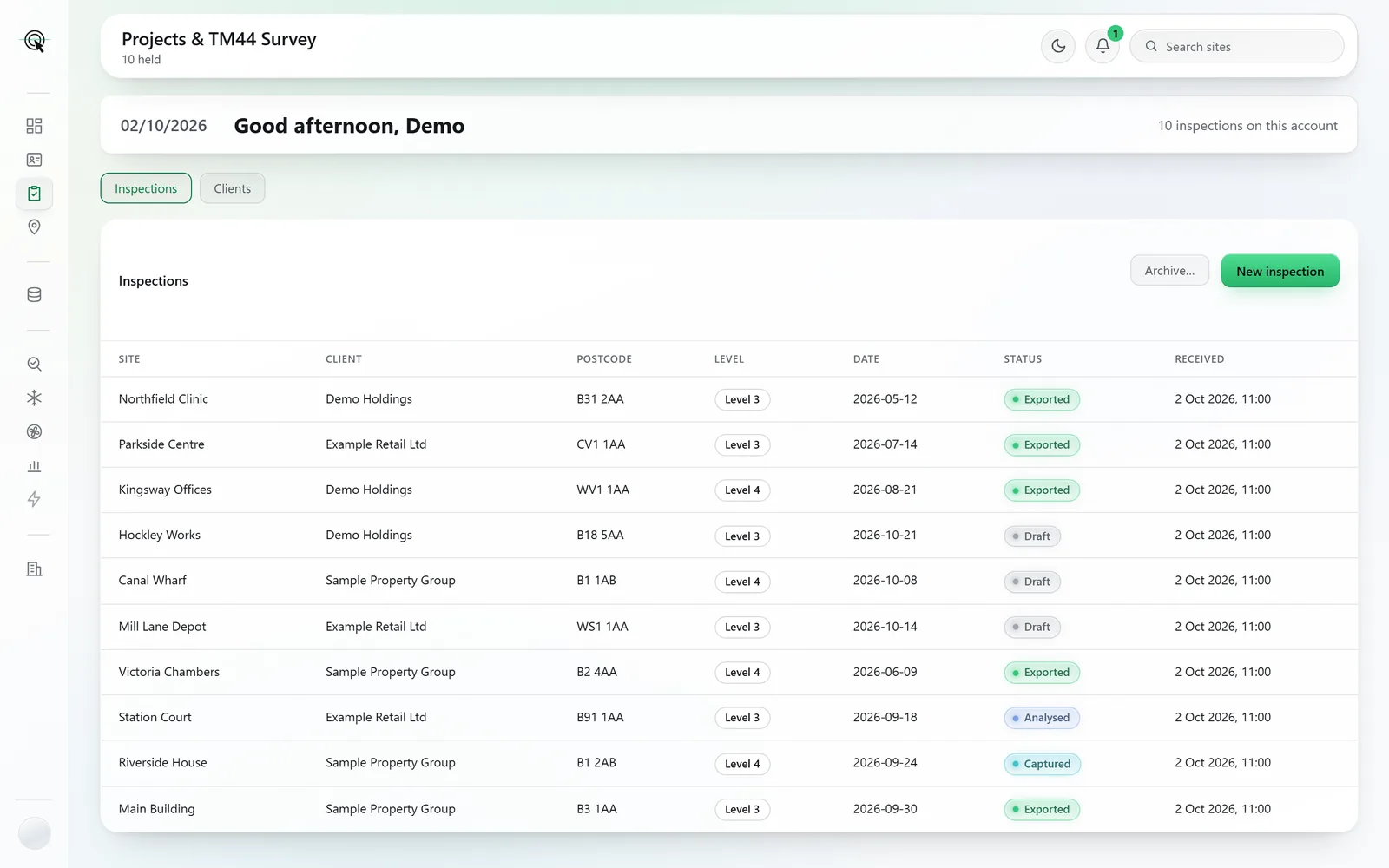
Screens and documents are from a sample account: the buildings, clients and assessor are made up.
- Set up at the desk
- Create the job before the visit and it is open on the phone when you arrive.
- How far it has got
- Questions answered and the plant’s totals, each labelled observed, derived or modelled.
- Every document in one box
- The XML, the draft report and certificate, official documents and the asset list.
- Nothing quietly overwritten
- When the phone and the desk change one answer, you choose which stands.
Set it up at the desk. Arrive with it open.
New inspection, before the visit
Create the job at your desk: the site, the client, the level and the date. It syncs to the phone, so the inspection is already open when you reach the building.
By job, or by client
The same records two ways: the list of inspections, or the clients you work for with their sites beneath them. Search across all of it from the top bar.
Archive, never delete
Finished work leaves the working list when you archive it. Nothing is deleted, and it comes back with one click.
When both sides changed the same answer
If the phone and the desk edit the same field, the dashboard shows you both and asks which stands. Nothing is quietly overwritten.
The inspection
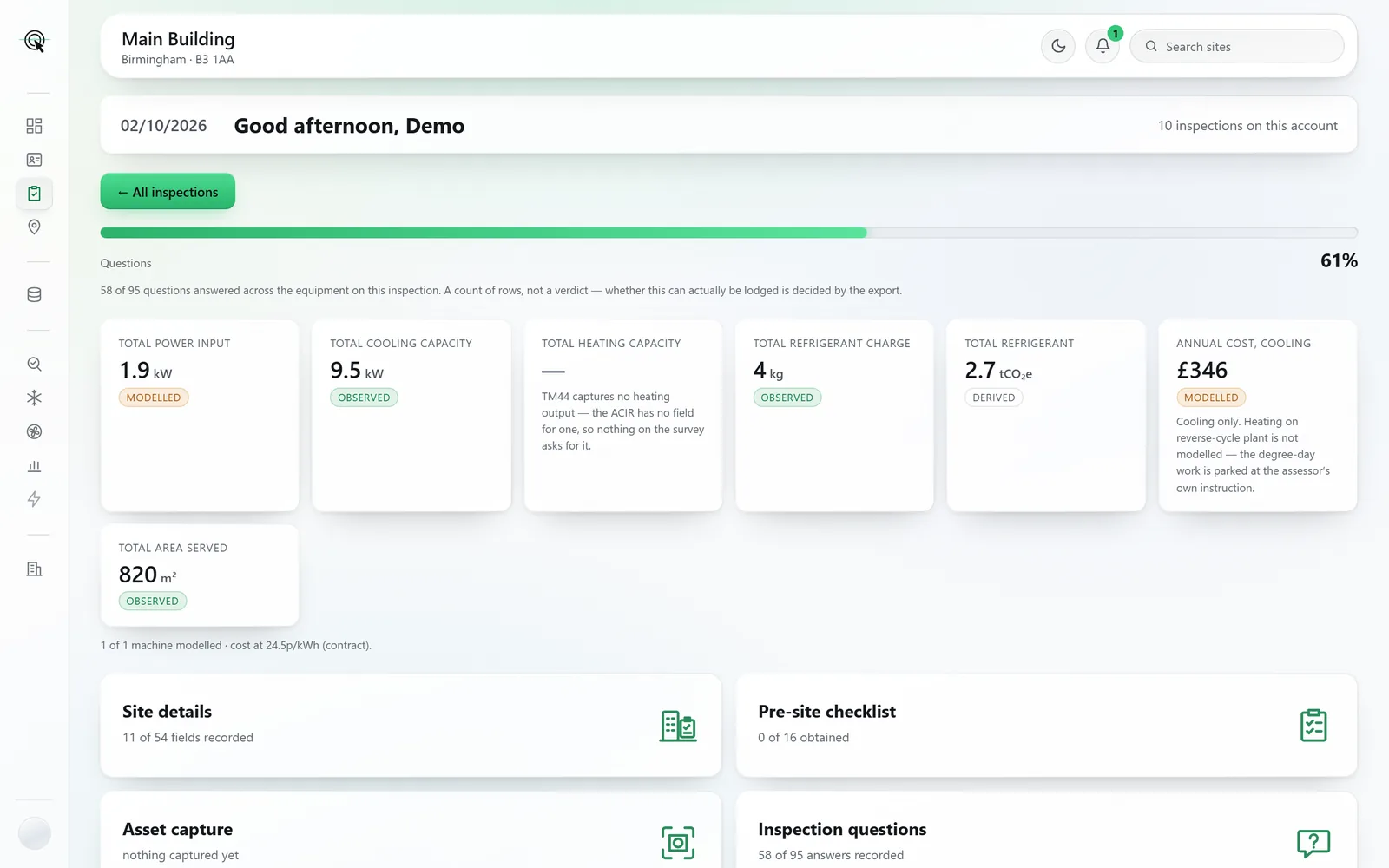
How far it has got, and what it adds up to.
Open an inspection and the hub shows how many of its questions are answered across the plant, and the totals: power input, cooling capacity, refrigerant charge in kilograms and tonnes of CO₂ equivalent, area served and an estimated annual cooling cost.
- Every total is labelled observed, derived or modelled, so nobody mistakes an estimate for a reading.
- Site details, the pre-site checklist, asset capture, inspection questions, photographs and report assembly, each with its count of what is done.
- Finish at the desk if you need to: the same questions, the same report, the same safeguards as the phone.
Reports and documentation
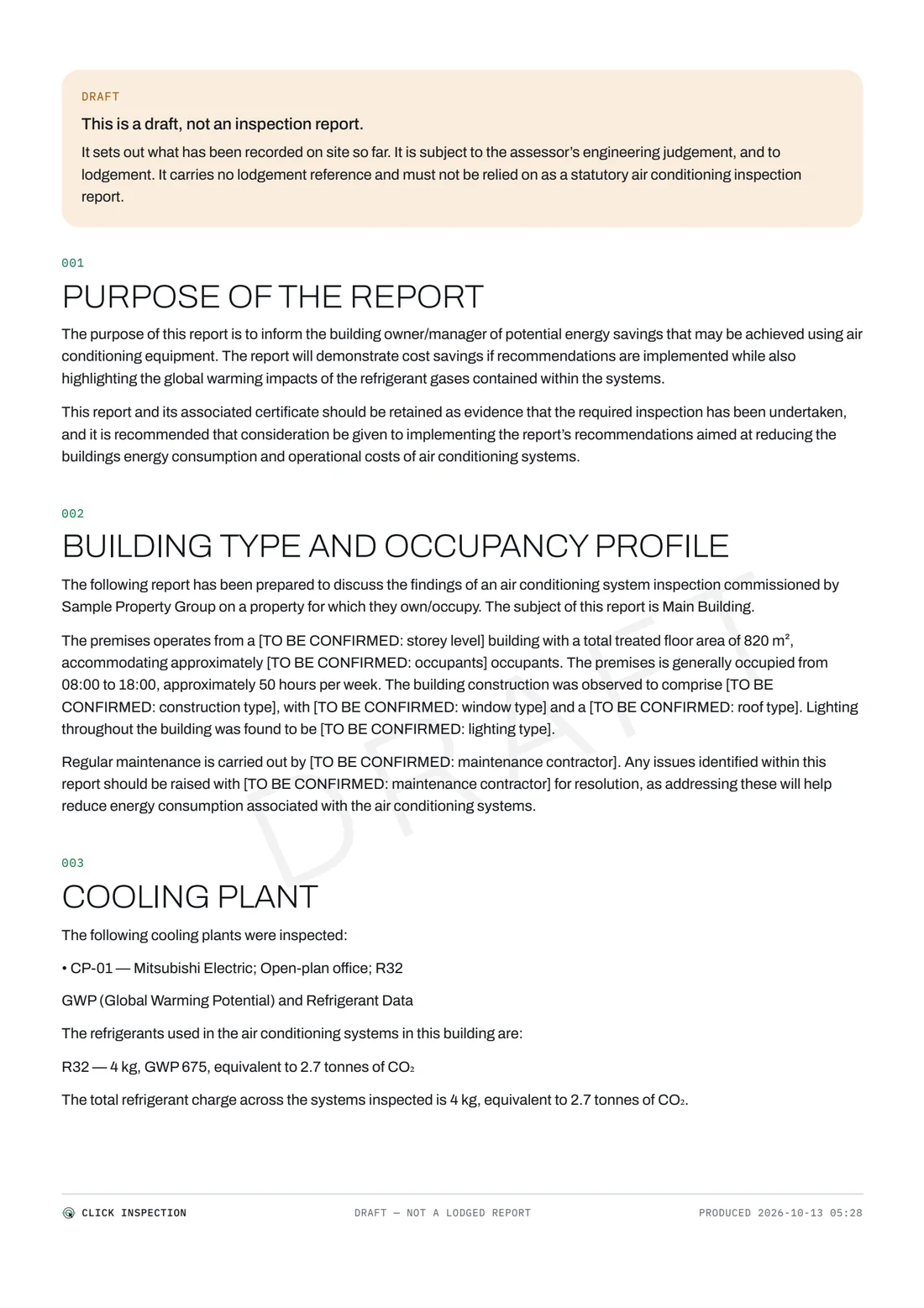
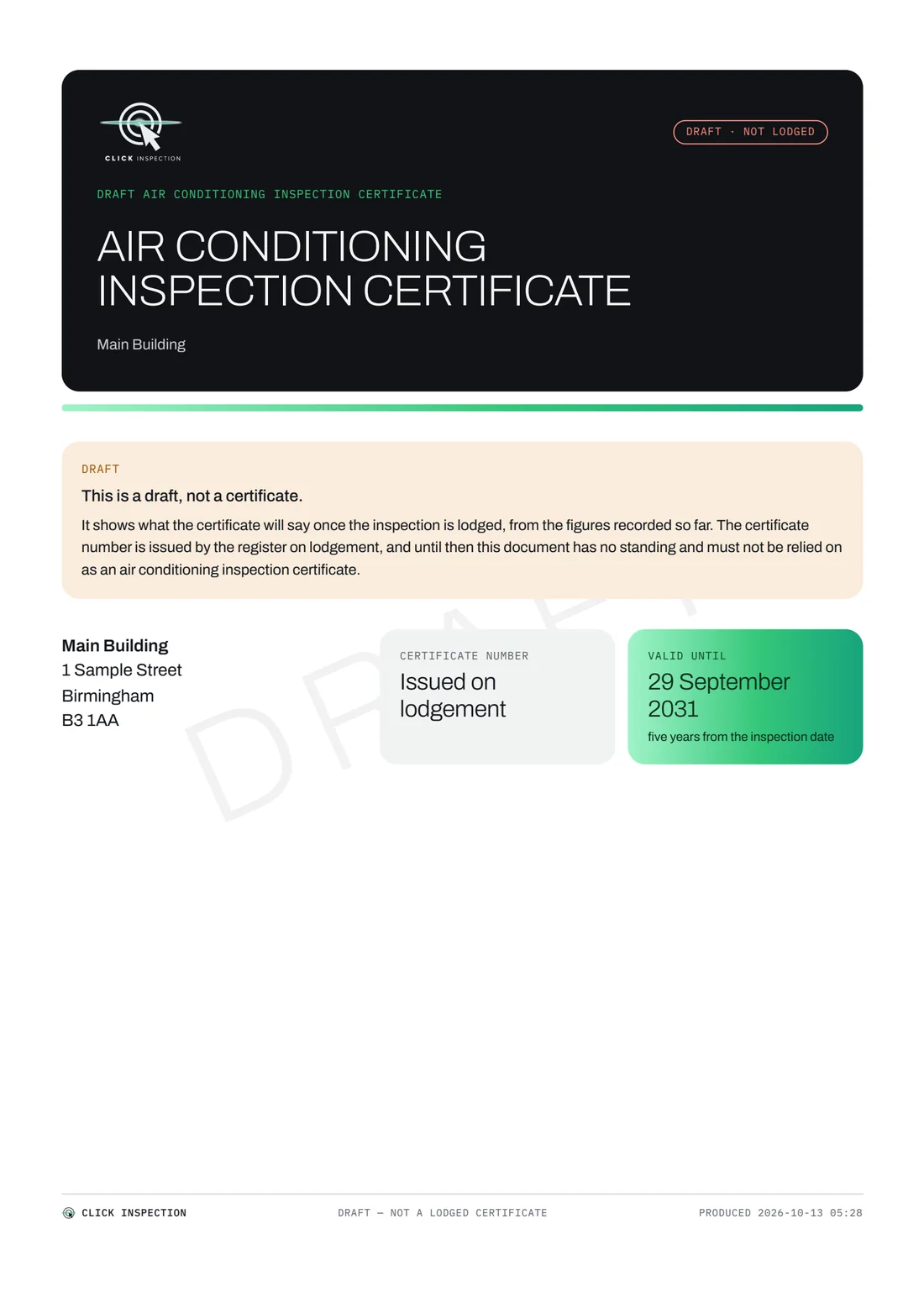
Every document the inspection produces, in one box.
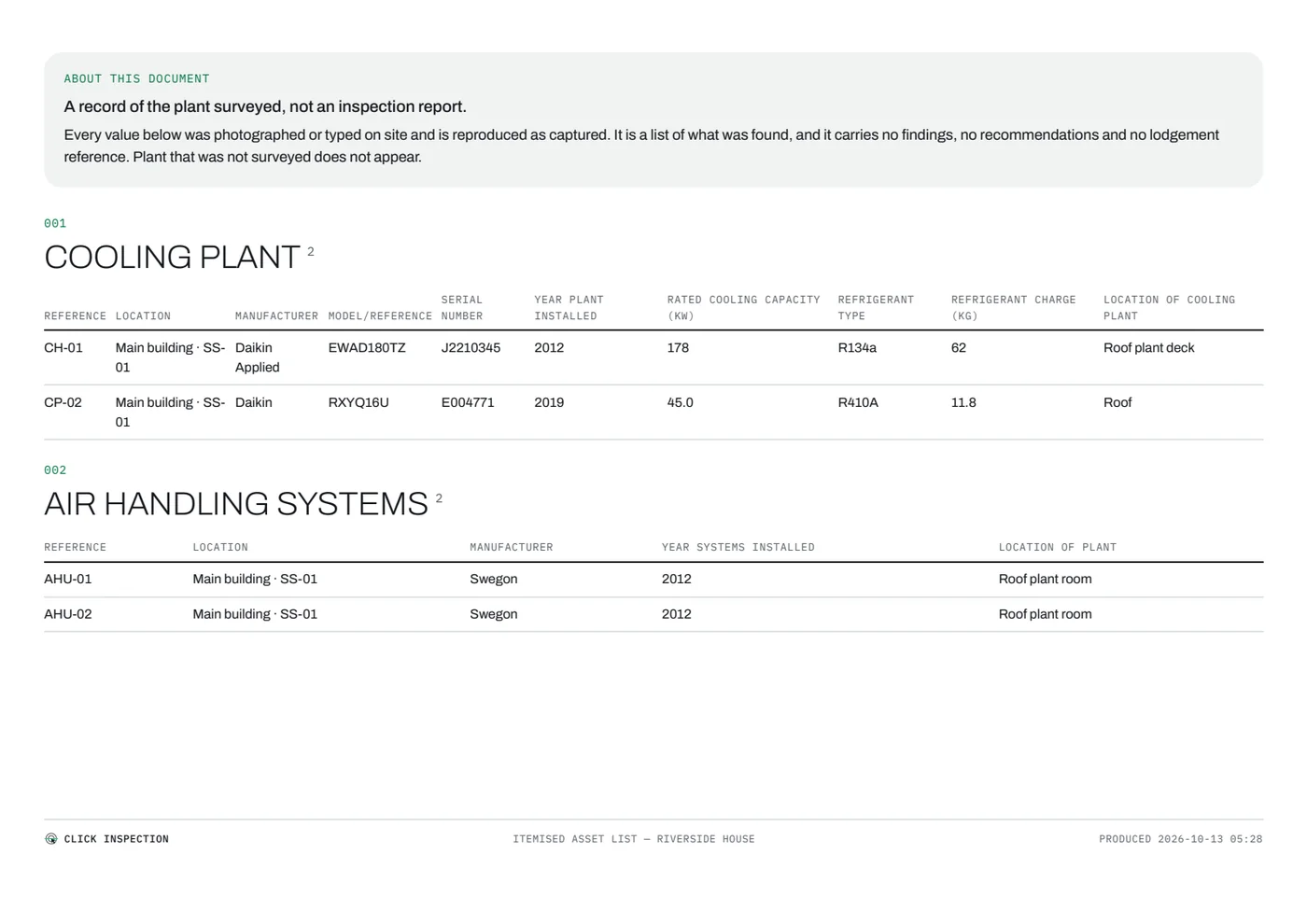
The XML, assembled and checked. The draft report and draft certificate, written from the survey and marked DRAFT until you lodge. Your official documents, filed against the inspection once they are lodged. And the itemised asset list, generated from what you captured, free on every plan.

What the XML button will not do
- It lights up only when nothing is outstanding. An inspection with anything still to answer is refused, and you are told exactly what.
- The file is assembled from the survey by the same rules as the phone, so the desk and the phone can never disagree about what an inspection exports as.
Projects & TM44 Survey is on every plan. Pay As You Go, Private and Corporate all include it, at no extra cost.
