

- Home
- Dashboard
The Click Inspection Dashboard
Everything you captured on site, waiting at your desk.
The dashboard is the desk side of Click Inspection. Every inspection the phone syncs lands here: the plant, the answers, the photographs and the report, ready to check, finish, document and hand over. It runs in your browser, so the work you did on the roof is there when you sit down.
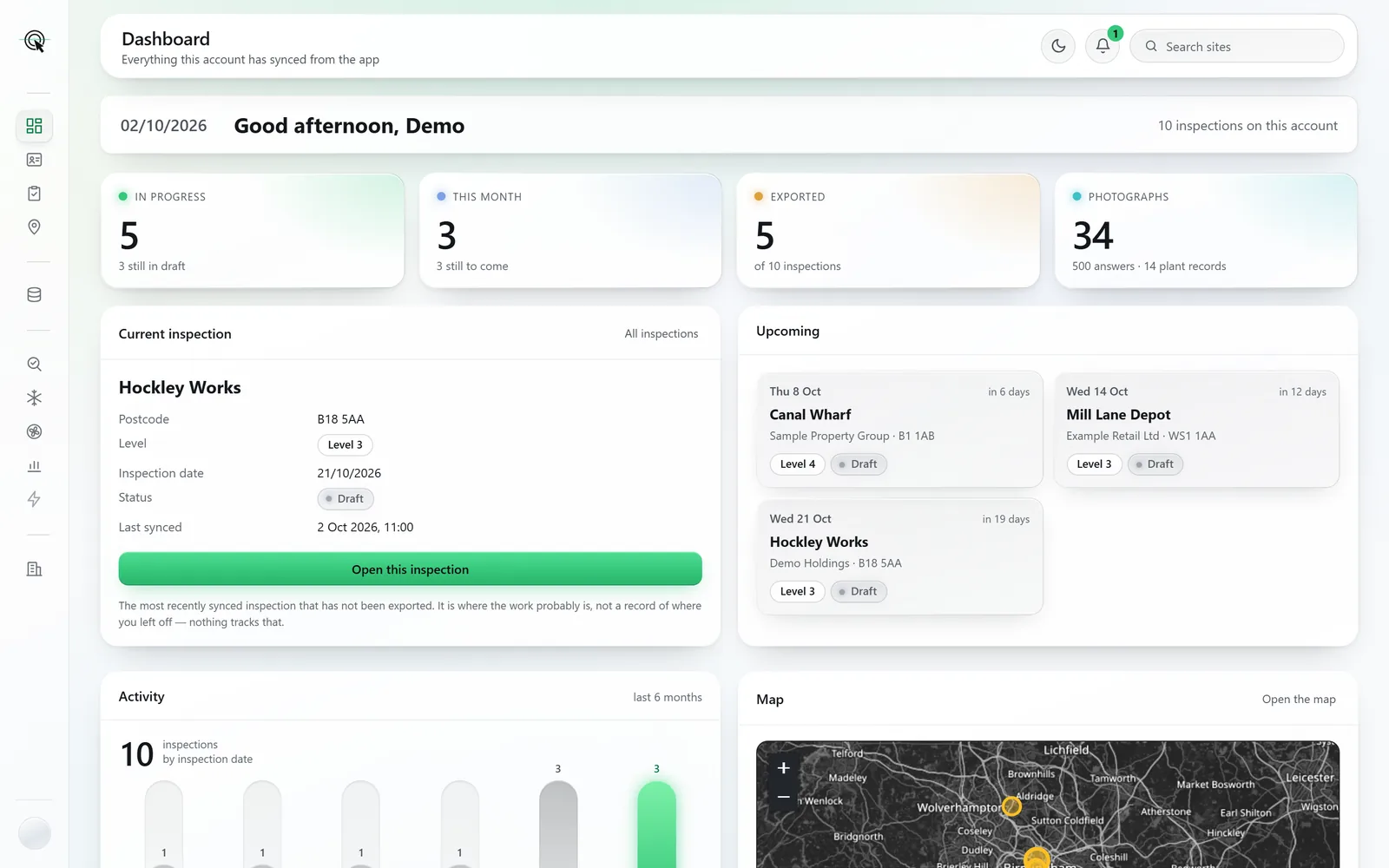
Screens and documents are from a sample account: the buildings, clients and assessor are made up.
Your working week, on one screen.
What is open, booked and done
Tiles count the inspections in progress, those booked this month and those exported, straight from your records.
Pick up where you left off
The most recent inspection not yet exported, one click from open.
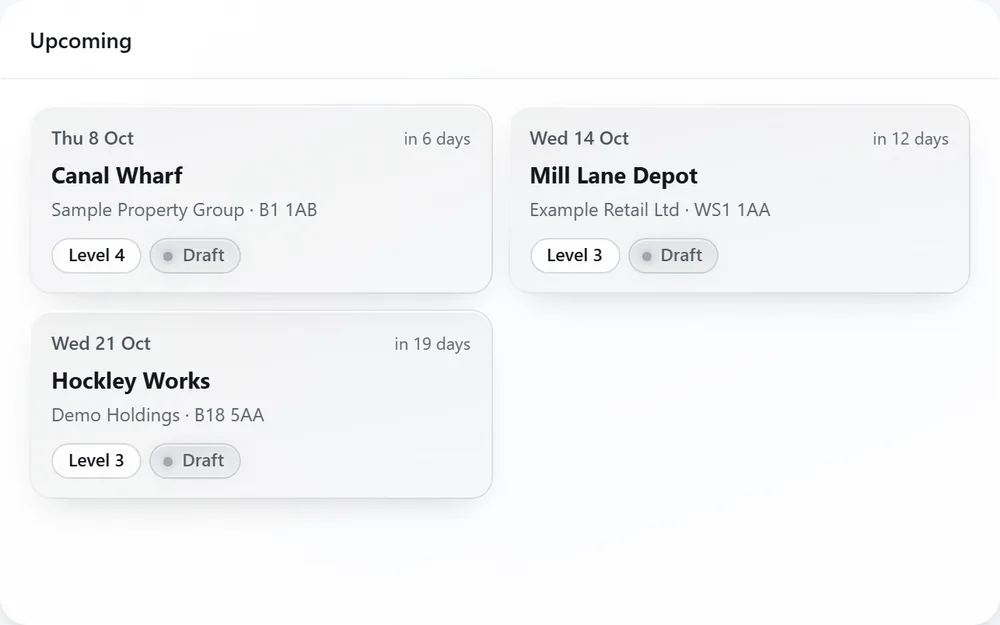
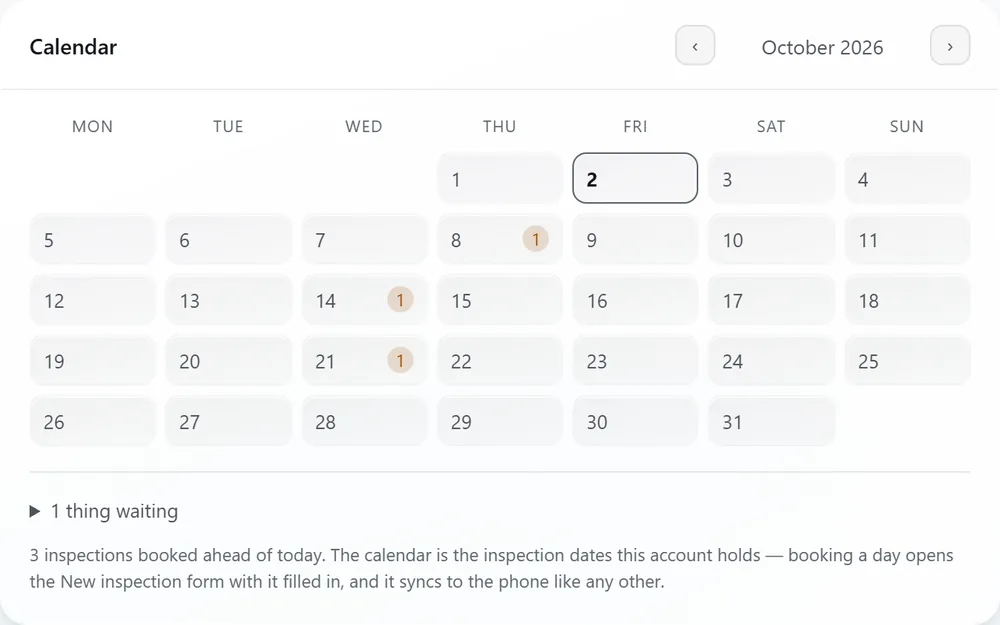
What is coming
Bookings ahead, in date order, and a month calendar. Book a day and the new inspection is set up here and synced to the phone before you arrive.
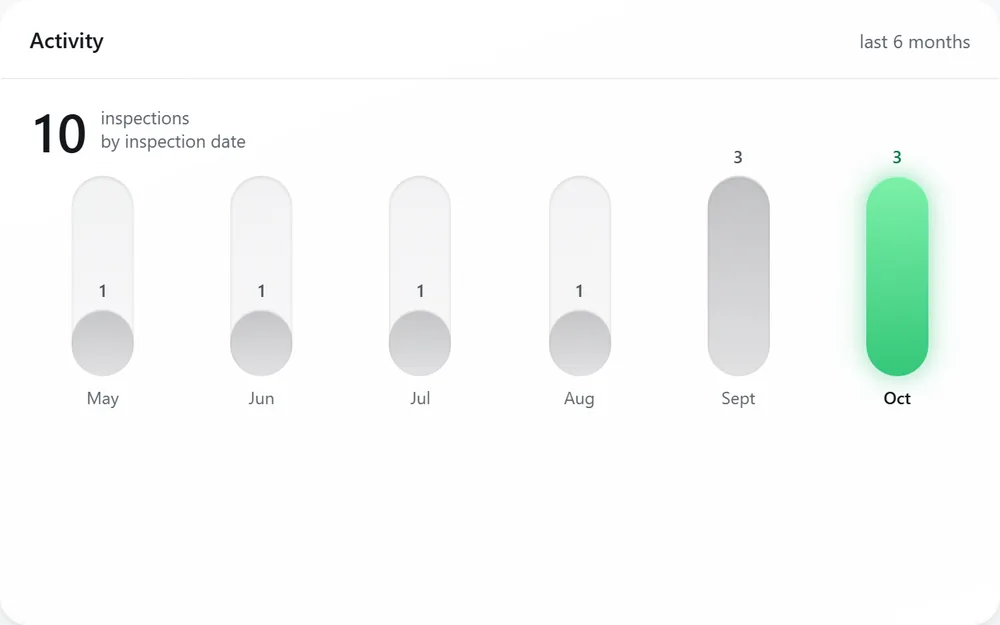
Six months at a glance
Inspections by date, month by month, so a quiet month or a heavy one is obvious.
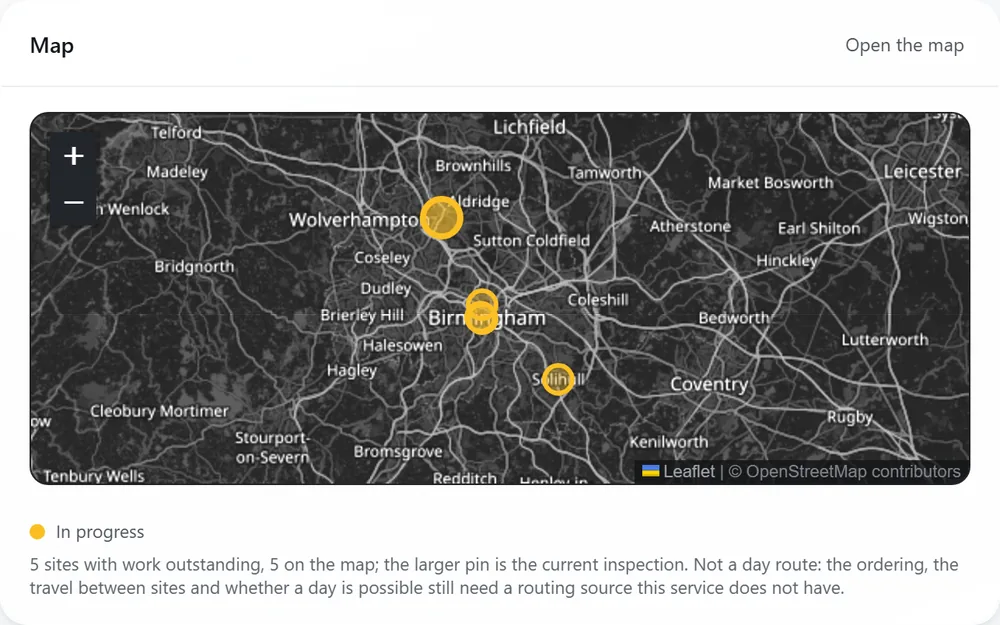
Where the work is
Every site with work outstanding on a map, the inspection you are on drawn larger.
Your credentials, kept
Your assessor ID and accreditation live with the account, and the dashboard warns you before an expiry date catches you out.
The tools
From the survey to every document around it.
The core tools are on every plan. The premium tools are included on Private and Corporate, and priced per inspection on Pay As You Go. The Asset Management Assessment and the Ancillary Energy Report are on the Corporate plan only.
-
5 of 10 inspections exportedEvery inspection on its road to a lodged file
- 3Draft
- 1Captured
- 1Analysed
- 0Reviewed
- 5Exported
Projects & TM44 Survey
Every inspection, how far it has got, and every document it produces.
Every plan -
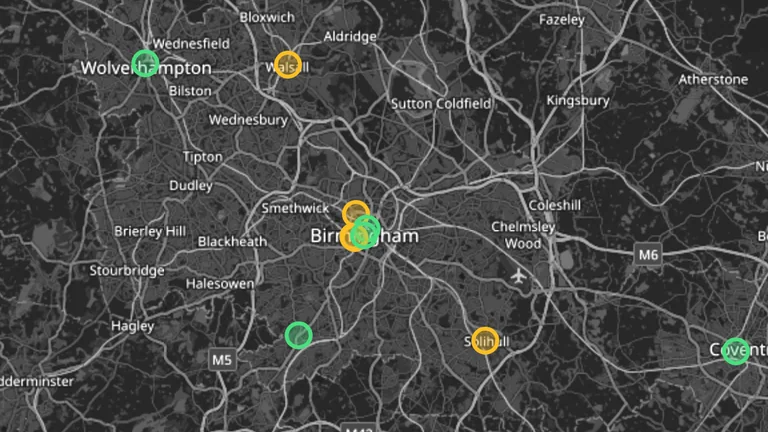
Site Map & Directions
Every building on one map, directions in one tap, and a day put in order.
Every plan -
Daikin, by cooling capacityUnits surveyed, as the lookup lists them
- REYQ30U7Y1BVRV · 2019 · R410A84.5 kW
- RXYHQ28P9W1BVRV Linked · 2022 · R410A77 kW
- UATYQ75AFC2Y12022 · R410A70 kW
- REYQ24T7Y1BVRV Linked · 2019 · R410A67 kW
System Information
Look a maker or a model up, before a visit or with the plate in front of you.
Every plan -
16 requirements, every one accounted forRiverside House: 8 in this pack, 8 named as gaps
- Data file of EA input (ACIR project XML)Not held
- Asset list (make, model, age, refrigerant, capacity, location)In this pack
- F-Gas register and refrigerant chargeIn this pack
Audit Aid
The QA audit pack in one ZIP, every evidence requirement accounted for.
Premium · included on Private and Corporate -
126.6 t CO₂e across 3 unitsRiverside House: each unit’s charge as CO₂ equivalent
- CH-01R134a · leak checks every 6 months88.7 t
- CP-02R410A · leak checks every 12 months24.6 t
- CCU-01R407C · leak checks every 12 months13.3 t
F-Gas Register
Refrigerant, charge and CO₂ equivalent for every unit, exactly as surveyed.
Premium · included on Private and Corporate -
3 areas rated Poor, all on AHU-01Riverside House: ten areas of each unit, rated
AHU-01AHU-02- Good 14
- Attention 3
- Poor 3
AHU Condition Report
Every air handling unit rated area by area, its fans costed and its actions put in order.
Premium · included on Private and Corporate -
£1,347 a year across 5 recommendationsRiverside House: each recommendation’s own saving
- Time schedules to occupancy£725
- AHU-01 Fan speed control£259
- CP-01 Clean or repair the condenser coil / heat exchanger£160
- CP-02 Clean or repair the condenser coil / heat exchanger£124
Ancillary Energy Report
What the air conditioning uses in a year, what each recommendation saves, and five years ahead.
Corporate tools -
CCU-01 first, at 65 points of 100Riverside House: what each replacement score is made of
- CCU-0165 / 100
- CH-0156 / 100
- CP-0240 / 100
- Age against life
- Refrigerant
- Charge held
- Efficiency shortfall
- Sizing mismatch
Asset Management Assessment
Running cost, carbon, refrigerant risk, replacement order and budget, for the client.
Corporate tools -
1 of 5 systems pays back within 10 yearsSample Property Group, 4 sites: simple payback at each quote
- CCU-01Riverside House3.3 to 8.7 yrs
- CH-01Riverside House13.3 yrs to beyond its life
- CP-01Main Buildingbeyond its life
- First 10 years
- Within 10 years
- Beyond its life
Client Portal Access
A client’s whole estate, with the charts, as one multi-site report.
Corporate tools
Nothing on it is decoration.
- Every tile, chart and total is drawn from what the app has synced. Where something is not held, the screen says so rather than showing a plausible number.
- Estimates are labelled as estimates, with their method, everywhere they appear.
- Your phone stays the place the survey happens. The dashboard is where it is checked, finished and handed over.
